
Your receiver is the heart of the experience.
Effing’ Airspace is not a web flight-tracker wrapped in a Windows window. It is designed around a local ADS-B receiver. A FlightAware FlightFeeder or PiAware-based receiver supplies the nearby aircraft your antenna is actually hearing, and Effing’ Airspace turns that feed into a visual, desktop-first view of the sky around you.
Optional internet ADS-B sources can enrich the local picture with additional aircraft identity, operator, route, and type information when available—but the local receiver remains the center of the experience.
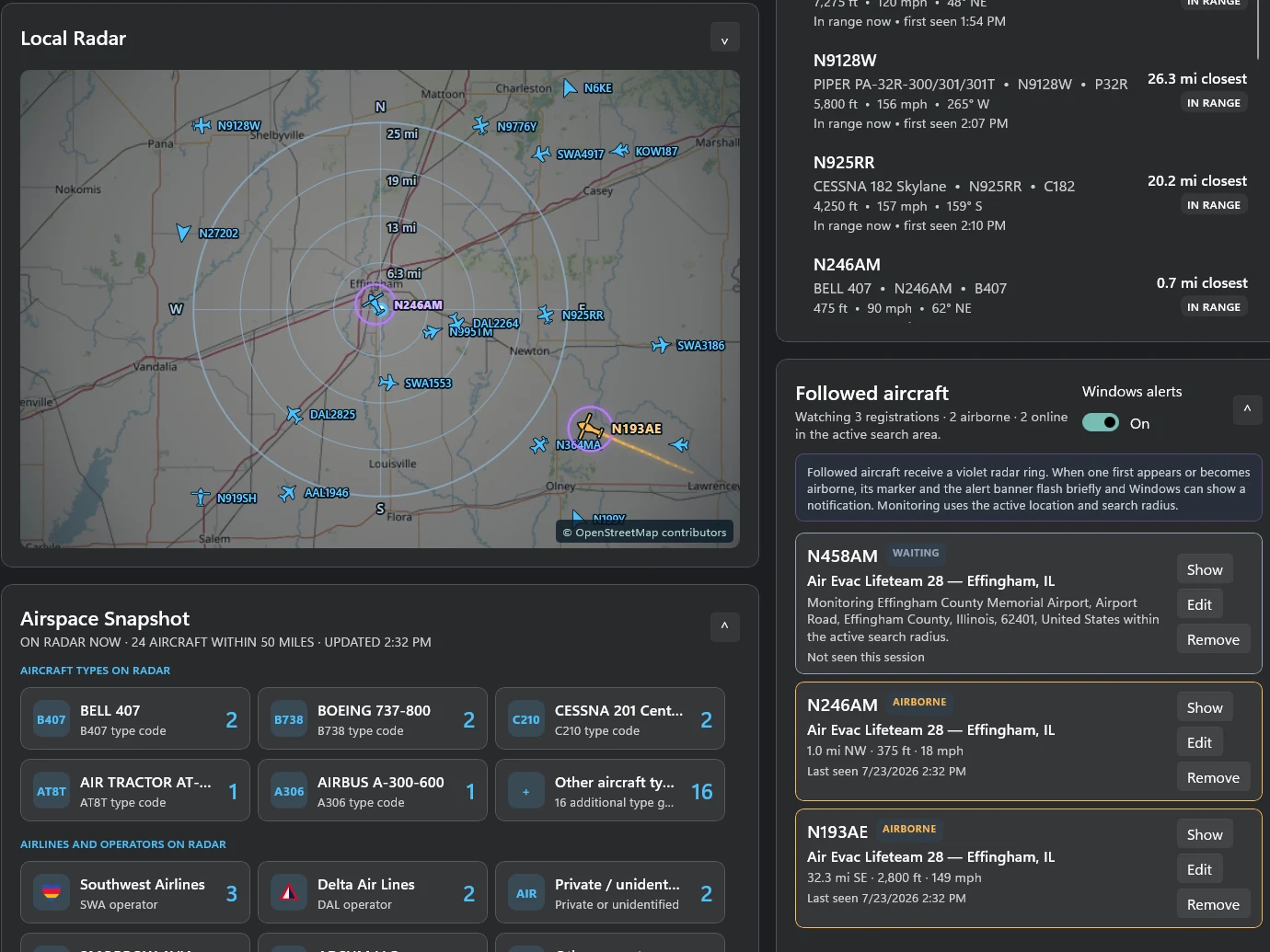
Live local ADS-B traffic
See the aircraft your own receiver is hearing instead of relying exclusively on a remote internet feed.
Radar built around your antenna
Range rings, direction, altitude, distance, track, and nearby traffic make the receiver’s coverage feel tangible.
Aircraft detail that means something
Type, operator, callsign, route information, squawk, altitude, speed, and track come together when the data is available.
Live Board & Flight Wall
Split-flap and visual board modes turn nearby aircraft into something you can glance at instead of another dense data table.
Followed-aircraft tools
Keep an eye on aircraft that matter to you, with richer identification and presentation when a followed aircraft appears nearby.
Coverage & feeder insight
Receiver status and coverage views help show what the antenna is seeing and how the local ADS-B setup is performing.
From one blip to the whole story.
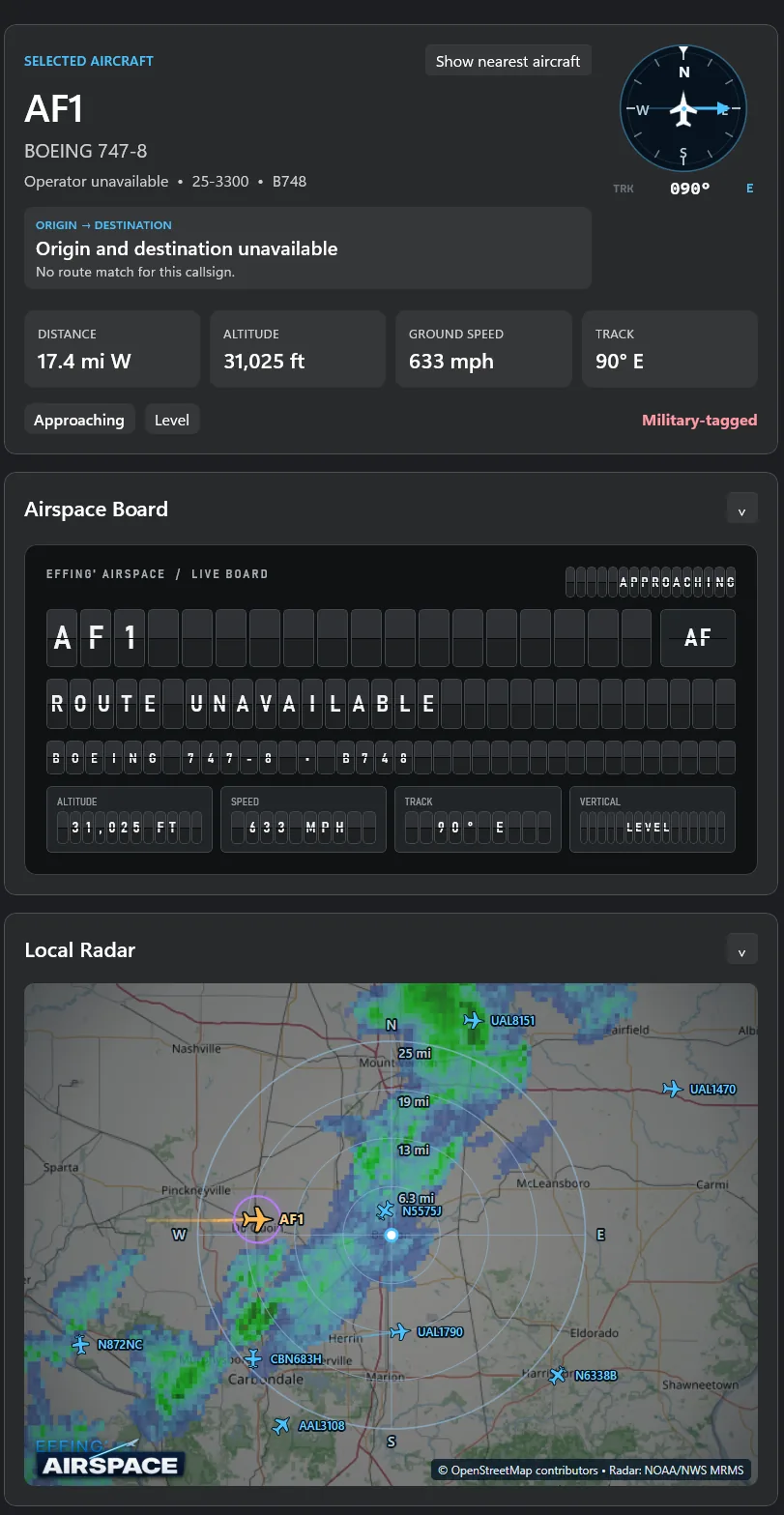
Select an aircraft and the app can surface the information that makes it interesting: callsign, aircraft model, operator, altitude, ground speed, track, distance, route context, and status. The same aircraft can stay visible in the Local Radar and Live Board views.
- Selected-aircraft detail and compass/track context
- Split-flap Live Board presentation
- NOAA/NWS weather radar can provide weather context around nearby traffic
- Pop-out radar and multi-monitor-friendly workflows
Built because watching the sky is fun.
This is a passion project in the truest sense. It keeps growing because there is always another useful detail to surface, another display to refine, another aircraft type to recognize, or another way to make a local ADS-B receiver more interesting to live with every day.